-
daVinci-MagiHuman Image To Video AI
daVinci-MagiHuman Image To Video AI
You must own or have permission for the image and any recognizable likeness; otherwise generation may be blocked.
*Add Image
/
Drag & drop images here or click to select
Support all image formats and support multiple selection
Try Sample Images
*Prompt
/20000
*Aspect Ratio
*Duration (seconds)
Choose a template and click generate to start your AI creation journey
Generating, please wait...
💡You can close this page during generation. Results will be available in your profile when done.
Related Newest AI Trending Templates
Try more of the latest popular AI templates to get the latest popular effects one step ahead of competitors.



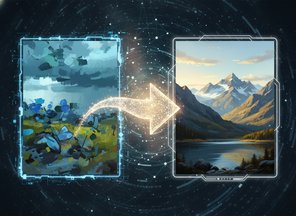
What Is daVinci-MagiHuman Image To Video AI?
This page starts from a photograph or render you already trust—SKU hero, influencer still, or style frame. The model extends it into a short clip while trying to keep identity, outfit, and lighting coherent.
Trending AI Photo is an independent service, separate from the open research release. Use it when legal or brand teams require a fixed visual anchor before motion is added.
Pair a high-resolution, well-lit reference with a motion brief: what moves, what stays static, and how audio should feel. That combination reduces drift versus text-only generation.
Animate Your Still
Production-friendly order: asset lock, then motion.
Upload the hero frame
Choose a single image with clear subject separation and readable face or product details—avoid heavy filters that hide edges.
Direct the motion
Explain camera behavior (static, slow push), body motion, and any spoken lines or ambient audio you want implied.
Review and export
Check continuity with your brand guide, then download for listings, paid media, or pitch decks.
 Try Image To Video Free
Why Start From an Image?
Different trade-offs from the text-only page—stability vs. freedom.
Retail and catalog teams
Keep packaging labels legible while adding subtle rotation, pour, or presenter interaction.
Character and IP work
When you own the art, image guidance helps maintain silhouette, palette, and costume details across takes.
Approval paths
Stakeholders sign off on a still first; motion becomes a delta review instead of a blank canvas.
Controlled camera
State explicitly if the tripod should stay locked—critical for UI demos and talking-head inserts.
Iterate on motion only
Keep the same upload while tweaking prompt verbs to explore gestures without re-shooting.
Complements text mode
Use text-to-video for wild ideation; switch here once a frame is approved.
Image To Video FAQ
What makes a good reference image?
Sharp focus on the subject, even lighting, and enough headroom for motion. Busy backgrounds can fight the brief—consider a mild crop first.
Can I use customer photos?
Only with documented consent and rights suitable for synthetic motion. When in doubt, use original brand assets.
How is this different from the combined generator?
Functionally similar capabilities, but this page enforces an upload so teams that must anchor on a still stay in the right workflow.
Learn more about the model?
Visit GitHub or davincimagihuman.com.
Support contact?
Bring your approved frame to life
Lock the visual, describe the motion, export a clip that matches brand.
